쿠팡 파트너스 링크 변환기 구축 방법 안내. 반복 작업 없이 블로그에서 자동으로 쿠팡 상품 링크를 수익용 딥링크로 변환해 수익 누락을 방지합니다.
쿠팡 파트너스를 통해 블로그 수익화를 시도하는 운영자라면, 누구나 한 번쯤은 겪어봤을 불편함이 있습니다. 바로 쿠팡 상품 링크를 트래킹 코드로 변환하는 과정의 번거로움입니다.
매번 상품을 선정한 후, 해당 상품 링크를 자신의 쿠팡 파트너스 트래킹 코드로 변환해야만 수익이 정상적으로 발생합니다.
만약 링크에 운영자의 트래킹 코드가 포함되어 있지 않다면, 상품이 아무리 많이 팔려도 수익은 발생하지 않습니다. 대부분의 운영자는 쿠팡 파트너스 공식 사이트에 접속해 수동으로 링크를 변환하는 방식을 사용하고 있는데, 이 방법은 매우 번거롭고, 특히 급하게 상품을 구매하려는 구독자들이 트래킹 링크를 직접 요청하는 상황도 발생합니다.
블로그 수익화를 위한 쿠팡 상품 링크 자동화 툴 만들기
이럴 때, 운영자가 직접 만든 쿠팡 링크 변환기를 블로그나 별도의 외부 페이지에 배치해 두면, 구독자나 방문자 모두가 손쉽게 변환된 링크를 활용할 수 있어 운영자의 수익 창출에도 도움이 됩니다.
즉, 쿠팡 링크 변환기는 블로그 수익화를 추구하는 이들에게 있어 매우 유용한 도구입니다.이번 글에서는 누구나 쉽게 자신의 쿠팡 상품 링크를 수익용 트래킹 링크로 자동 변환할 수 있는 방법을 소개합니다.
쿠팡 상품 링크 변환기의 필요성
쿠팡 파트너스의 수익은 단순 클릭이 아니라, 클릭 후 실제 상품을 구매했을 때 발생합니다. 그리고 그 구매는 반드시 운영자의 파트너스 코드(트래킹 코드)가 포함된 링크를 통해 이루어져야만 인정됩니다. 즉, 아무리 좋은 상품을 소개하고 방문자가 많아도
➤ 트래킹 코드가 빠진 링크로 연결되면 수익은 ‘0원’입니다.
문제점: 매번 수동으로 링크 변환?
쿠팡 파트너스 공식 사이트에서 딥링크(짧은 링크)로 변환하려면 다음과 같은 과정이 필요합니다:
- 쿠팡 상품 페이지 접속
- 링크 복사
- 파트너스 사이트에 붙여넣기
- 딥링크 생성 버튼 클릭
- 다시 복사해서 블로그에 삽입
단순히 링크 하나 삽입하려고 5단계나 소모하는 작업
시간도 많이 걸리고, 실수 가능성도 높습니다.
해결책: 링크 자동 변환기 직접 구축하기
이 문제를 해결하기 위해 Google Apps Script를 활용하여
쿠팡 상품 URL을 자동으로 딥링크로 변환해주는 자동 변환기 웹 앱을 직접 구축할 수 있습니다.
운영자 본인의 블로그 관리자 페이지나 개인 대시보드에 아래 도구를 삽입해두면,
✔ 언제든지 빠르게 링크 변환 가능
✔ 매번 파트너스 사이트 접속할 필요 없음
✔ 클릭만으로 자동 수익 링크 생성
주요 기능 요약
| 기능 | 설명 |
| 자동 서명 처리 | HMAC 기반 서명을 자동 생성하여 쿠팡 API 인증 |
| API 연동 | 쿠팡 딥링크 API와 직접 통신 |
| 결과 UI 출력 | 변환된 짧은 URL을 즉시 표시하고 복사 버튼 제공 |
| 클라이언트-서버 분리 | API Key는 Google Apps Script에만 존재하므로 보안 유지 |
Google Apps Script와 쿠팡 API 활용
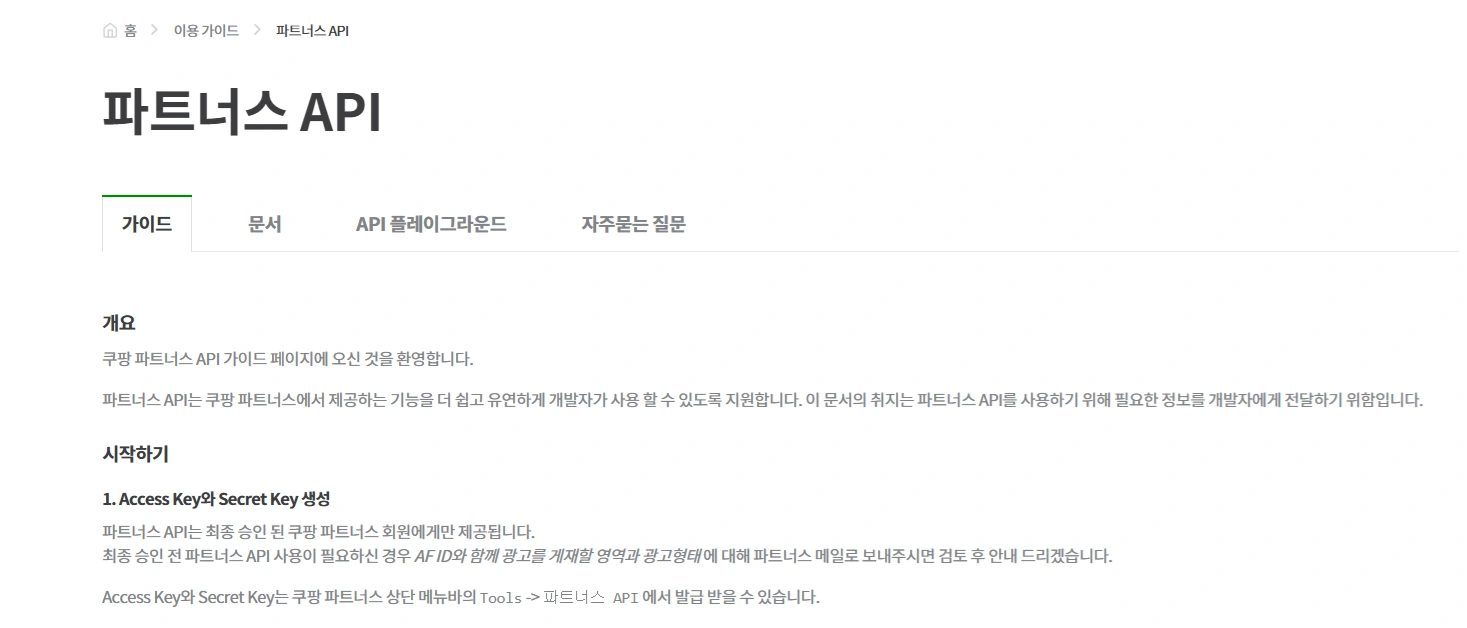
쿠팡 API는 Access Key, Secret Key, Affiliate ID가 필요한 인증 기반 구조입니다. 이를 위해 서버 측에는 아래와 같은 스크립트를 작성합니다.
실제 활용 예시 코드
블로그 글을 작성하면서 상품 링크를 삽입해야 할 때,
✔ 쿠팡 링크를 복사 자동 변환기 붙여넣기 변환 결과 복사 블로그 본문에 삽입
이 과정을 통해 누락 없이 수익 발생 가능 링크 확보가 가능합니다.
실제 적용 코드 보기:블로그 상품 등록 코드 자동 생성기 사용법 및 SEO 최적화
아래 코드를 Google Apps Script(GS)에 그대로 복사해 사용하시면 됩니다.
변경이 필요한 부분은 쿠팡에서 발급받은 본인의 키 값으로 아래 항목만 수정하시면 됩니다.
적용 방법이 궁금하신 경우, 이 링크(쿠팡 파트너스 상품 자동 등록 1탄 수익화! 블로그에 상품 자동 등록하는 방법)를 참고하시면 됩니다.
ACCESS_KEY: "123456789", // Access Key를 여기에 입력

 SECRET_KEY: "123456789", // Secret Key를 여기에 입력 (가장 중요!)

 AFFILIATE_ID: "AF1234567", //파트너스 ID를 여기에 입력
// ==== 설정값 ( 실제 키 값 적용) ====

const COUPANG_CONFIG = {

 ACCESS_KEY: "123456789", // Access Key를 여기에 입력

 SECRET_KEY: "123456789", // Secret Key를 여기에 입력 (가장 중요!)

 AFFILIATE_ID: "AF1234567", //파트너스 ID를 여기에 입력

 API_BASE_URL: "https://api-gateway.coupang.com",

 DEEPLINK_PATH: "/v2/providers/affiliate_open_api/apis/openapi/v1/deeplink"

};
// ==== GMT 날짜 형식 생성 함수 (YYMMDD'T'HHmmss'Z' 포맷) ====
function cpServer_getCoupangApiDate() {
const date = new Date();
const year = date.getUTCFullYear().toString().substring(2);
const month = (date.getUTCMonth() + 1).toString().padStart(2, '0');
const day = date.getUTCDate().toString().padStart(2, '0');
const hours = date.getUTCHours().toString().padStart(2, '0');
const minutes = date.getUTCMinutes().toString().padStart(2, '0');
const seconds = date.getUTCSeconds().toString().padStart(2, '0');
const datetime = `$year}$month}$day}T$hours}$minutes}$seconds}Z`;
Logger.log(`[cpServer_getCoupangApiDate] 생성된 날짜/시간: "$datetime}"`);
return datetime;
}
// ==== HMAC Signature 생성 함수 ====
function cpServer_generateCoupangSignature(method, uri, secretKey, accessKey) {
const parts = uri.split('?');
const path = parts[0];
const query = (parts.length === 2) ? parts[1] : '';
const datetime = cpServer_getCoupangApiDate();
const stringToSign = `$datetime}$method}$path}$query}`; // 쿼리 문자열 앞에 '?' 없음
Logger.log(`[cpServer_generateCoupangSignature] 서명할 문자열 (stringToSign): "$stringToSign}"`);
// SECRET_KEY 유효성 검사 강화
const actualSecretKey = String(secretKey).trim(); // String() 강제 변환 및 공백 제거
if (typeof actualSecretKey !== 'string' || actualSecretKey.length === 0) {
Logger.log("[cpServer_generateCoupangSignature] ❗ 오류: SECRET_KEY가 유효한 문자열이 아니거나 비어 있습니다. Apps Script 설정값을 확인하세요.");
throw new Error("Invalid or empty SECRET_KEY configured in Apps Script.");
}
try {
const signatureBytes = Utilities.computeHmacSha256Signature(stringToSign, actualSecretKey);
const signatureHex = cpServer_bytesToHex(signatureBytes);
Logger.log(`[cpServer_generateCoupangSignature] 생성된 시그니처 (Hex): $signatureHex}`);
const authorizationHeader = `CEA algorithm=HmacSHA256, access-key=$accessKey}, signed-date=$datetime}, signature=$signatureHex}`;
Logger.log(`[cpServer_generateCoupangSignature] 최종 Authorization 헤더: "$authorizationHeader}"`);
return authorizationHeader;
} catch (e) {
Logger.log(`[cpServer_generateCoupangSignature] ❗ 치명적 오류: HMAC 서명 생성 중 예외 발생. SECRET_KEY 설정 확인. 메시지: $e.message}`);
throw new Error(`Failed to generate HMAC signature. Please check SECRET_KEY in Apps Script: $e.message}`);
}
}
// ==== 바이트 배열을 16진수 문자열로 변환 ====
function cpServer_bytesToHex(bytes) {
if (!bytes) {
Logger.log("[cpServer_bytesToHex] ❗ 경고: bytes 인수가 undefined 이거나 null 입니다. 이는 SECRET_KEY 문제로 인해 서명 바이트가 생성되지 않았을 수 있습니다.");
return "";
}
return Array.from(bytes, function(byte) {
return ('0' + (byte & 0xFF).toString(16)).slice(-2);
}).join('');
}
// ==== 딥링크 변환 API 호출 함수 (주요 로직) ====
function cpServer_callCoupangDeeplinkApi(originalUrl) {
const method = 'POST'; // 딥링크 API는 POST 요청
const requestBody = {
coupangUrls: [originalUrl]
};
// URI는 DEEPLINK_PATH와 _E_ 파라미터를 포함
const uri = `$COUPANG_CONFIG.DEEPLINK_PATH}?_E_=$COUPANG_CONFIG.AFFILIATE_ID}`;
const url = COUPANG_CONFIG.API_BASE_URL + uri;
Logger.log(`[cpServer_callCoupangDeeplinkApi] 원본 URL: $originalUrl}`);
Logger.log(`[cpServer_callCoupangDeeplinkApi] 딥링크 요청 URI: $uri}`);
Logger.log(`[cpServer_callCoupangDeeplinkApi] 딥링크 요청 URL: $url}`);
Logger.log(`[cpServer_callCoupangDeeplinkApi] 요청 본문: $JSON.stringify(requestBody)}`);
try {
const authorizationHeader = cpServer_generateCoupangSignature(method, uri, COUPANG_CONFIG.SECRET_KEY, COUPANG_CONFIG.ACCESS_KEY);
const options = {
method: method,
headers: {
'Authorization': authorizationHeader,
'Content-Type': 'application/json;charset=UTF-8',
},
payload: JSON.stringify(requestBody),
muteHttpExceptions: true // HTTP 오류 시 예외 발생 대신 응답 객체 반환
};
const response = UrlFetchApp.fetch(url, options);
const responseCode = response.getResponseCode();
const responseBody = response.getContentText();
Logger.log(`[cpServer_callCoupangDeeplinkApi] 응답 코드: $responseCode}`);
Logger.log(`[cpServer_callCoupangDeeplinkApi] 응답 본문: $responseBody}`);
if (responseCode === 200) {
const responseJson = JSON.parse(responseBody);
// rCode가 '0' 또는 '0000' (둘 중 하나라도) 일 때 성공으로 처리
if ((responseJson.rCode === '0' || responseJson.rCode === '0000') && responseJson.data && responseJson.data.length 0) {
return { success: true, shortenUrl: responseJson.data[0].shortenUrl };
} else {
// 쿠팡 API 응답은 200이지만 rCode가 성공이 아니거나 데이터가 없는 경우
Logger.log(`[cpServer_callCoupangDeeplinkApi] ❗ 쿠팡 API 응답 오류 (rCode != 0 또는 0000 또는 데이터 없음): $responseBody}`);
return { success: false, error: `쿠팡 API 응답 오류: $responseJson.message || responseBody || '알 수 없음'}` };
}
} else {
// HTTP 오류 발생 (200 OK가 아닌 경우)
let errorMessage = `HTTP 오류 ($responseCode}): `;
try {
const errorJson = JSON.parse(responseBody);
if (errorJson.code && errorJson.message) {
errorMessage += `코드: $errorJson.code}, 메시지: $errorJson.message}`;
} else {
errorMessage += `응답 본문: $responseBody}`; // JSON 파싱 실패 시 원본 본문 포함
}
} catch (e) {
errorMessage += `응답 본문 파싱 실패 또는 본문 없음: $responseBody}`;
}
Logger.log(`[cpServer_callCoupangDeeplinkApi] ❗ HTTP 오류 상세: $errorMessage}`);
return { success: false, error: `HTTP 오류: $errorMessage}` };
}
} catch (e) {
// UrlFetchApp 자체 예외 또는 서명 생성 중 예외 발생
Logger.log(`[cpServer_callCoupangDeeplinkApi] ❗ Apps Script 서버 예외 발생: $e.message}`);
return { success: false, error: `Apps Script 서버 오류: $e.message}` };
}
}
// ==== JSON 응답 생성 헬퍼 함수 ====
function cpServer_createJsonResponse(data) {
return ContentService.createTextOutput(JSON.stringify(data))
.setMimeType(ContentService.MimeType.JSON);
}
// ==== 웹 앱 GET 요청 처리 (클라이언트의 요청을 받음) ====
function doGet(e) {
Logger.log("[doGet] GET 요청 수신 시작.");
const rawUrls = e.parameter.urls;
let urlsToProcess = [];
if (Array.isArray(rawUrls) && rawUrls.length 0) {
urlsToProcess = [rawUrls[0]]; // 배열로 들어온 경우 첫 번째만
} else if (typeof rawUrls === 'string' && rawUrls) {
urlsToProcess = [rawUrls]; // 단일 문자열로 들어온 경우
} else {
Logger.log("[doGet] 오류: 변환할 URL이 GET 요청 파라미터에 없습니다.");
return cpServer_createJsonResponse({ success: false, error: "변환할 URL을 찾을 수 없습니다." });
}
const originalUrl = urlsToProcess[0];
Logger.log(`[doGet] 처리할 URL: $originalUrl}`);
const apiResult = cpServer_callCoupangDeeplinkApi(originalUrl);
if (apiResult.success) {
return cpServer_createJsonResponse({ success: true, shortenUrl: apiResult.shortenUrl });
} else {
return cpServer_createJsonResponse({ success: false, error: apiResult.error });
}
}
// ==== 웹 앱 POST 요청 처리 (이 앱에서는 사용되지 않음) ====
function doPost(e) {
Logger.log("[doPost] POST 요청이 감지되었지만, 이 웹 앱은 딥링크 변환을 위해 GET 요청을 처리합니다.");
return cpServer_createJsonResponse({ success: false, error: "이 웹 앱은 딥링크 변환을 위해 GET 요청을 처리합니다." });
}
⚠ 주의: ACCESS_KEY, SECRET_KEY, AFFILIATE_ID는 반드시 개인 정보로 보호되어야 하며, 외부에 노출되지 않도록 Google Apps Script에서만 관리하세요.
사용자 인터페이스 적용 방법 (실제 적용 코드 포함)
HTML, CSS, JavaScript로 구성된 인터페이스는 아래와 같습니다:
아래 HTML 코드는 원하시는 위치에 적절히 삽입하여 활용하시면 됩니다.
div class="coupang-converter"

 h1쿠팡 파트너스 링크 변환기/h1

 p쿠팡 상품 URL을 입력하세요 (하나만 입력):/p

 div class="input-area"

 textarea class="url-input" placeholder="여기에 쿠팡 상품 URL을 입력하세요."/textarea

 /div
div class="action-buttons"
button class="convert-btn" onclick="cpClient_convertLinks()"링크 변환/button
button class="reset-btn" onclick="cpClient_clearAll()"초기화/button
/div
div class="result-container" id="cpClient_result"/div
/div
변환된 결과는 아래와 같이 출력됩니다:
https://link.coupang.com/shorten/xxxxxxxx 수익이 발생하는 딥링크

[링크 복사]
자바 스크립트 코드
Google Apps Script 웹 앱 URL을 여기에 붙여넣으세요!
constAPI_ENDPOINT=”구글appscript웹주소”;
script

 // === Configuration ===

 // Google Apps Script 웹 앱 URL을 여기에 붙여넣으세요!

 const API_ENDPOINT = "구글 app script 웹주소";
// === DOM Element References ===
const cpClient_elements = {
urlInput: document.querySelector('.coupang-converter .url-input'),
resultDiv: document.getElementById('cpClient_result'),
convertBtn: document.querySelector('.coupang-converter .convert-btn'),
resetBtn: document.querySelector('.coupang-converter .reset-btn')
};
// === Main Link Conversion Function ===
async function cpClient_convertLinks() {
cpClient_setLoadingState(true);
const inputUrlsText = cpClient_elements.urlInput.value.trim();
if (!inputUrlsText) {
cpClient_showResult('error', '변환할 쿠팡 상품 URL을 입력해주세요.');
cpClient_setLoadingState(false);
return;
}
const firstValidUrl = inputUrlsText.split('
')
.map(url = url.trim())
.find(url = url.startsWith('http') && url.includes('coupang.com'));
if (!firstValidUrl) {
cpClient_showResult('error', '유효한 쿠팡 상품 URL을 찾을 수 없습니다. 실제 쿠팡 상품 페이지 링크를 입력해주세요.');
cpClient_setLoadingState(false);
return;
}
try {
const queryParams = new URLSearchParams();
queryParams.append('urls', firstValidUrl);
const fetchUrl = `$API_ENDPOINT}?$queryParams.toString()}`;
console.log('클라이언트 fetch URL (GET):', fetchUrl); // 디버깅용 로그
const response = await fetch(fetchUrl);
if (!response.ok) {
const errorDetail = await response.text();
cpClient_showResult('error', `오류 발생: $response.status} - $errorDetail}. 웹 앱 URL 및 배포 권한을 확인해주세요.`);
throw new Error(`Server responded with an error: HTTP $response.status} - $errorDetail}`);
}
const responseData = await response.json();
if (responseData.success && responseData.shortenUrl) {
cpClient_showConvertedLink(responseData.shortenUrl);
} else {
// 서버에서 success: false를 반환하거나 shortenUrl이 없는 경우
cpClient_showResult('error', responseData.error || '링크 변환 실패. 입력한 URL이 정확한지 확인해주세요.');
console.error('서버 응답 오류:', responseData.error);
}
} catch (error) {
// 네트워크 오류 또는 기타 예상치 못한 오류
cpClient_showResult('error', `오류 발생: $error.message}. 웹 앱 URL 및 배포 권한을 확인해주세요.`);
console.error('Fetch Error:', error);
} finally {
cpClient_setLoadingState(false);
}
}
function cpClient_showConvertedLink(shortenUrl) {
const resultDiv = cpClient_elements.resultDiv;
resultDiv.className = 'result-container success';
const htmlContent = `
p변환 결과/p
div class="link-item"
div class="converted-link"
a href="$shortenUrl}" target="_blank"$shortenUrl}/a
/div
button class="copy-btn" onclick="cpClient_copyToClipboard('$shortenUrl}')"링크 복사/button
/div
`;
resultDiv.innerHTML = htmlContent;
}
function cpClient_showResult(type, message) {
const resultDiv = cpClient_elements.resultDiv;
resultDiv.className = `result-container $type}`;
resultDiv.innerHTML = `p$message}/p`;
}
// === 초기화 함수 ===
function cpClient_clearAll() {
cpClient_elements.urlInput.value = '';
cpClient_elements.resultDiv.innerHTML = '';
cpClient_elements.resultDiv.className = 'result-container';
}
function cpClient_copyToClipboard(text) {
navigator.clipboard.writeText(text)
.then(() = alert('링크가 클립보드에 복사되었습니다!'))
.catch(err = {
console.error('복사 실패:', err);
alert('링크 복사에 실패했습니다. 수동으로 복사해주세요.');
});
}
function cpClient_setLoadingState(isLoading) {
const resultDiv = cpClient_elements.resultDiv;
const convertBtn = cpClient_elements.convertBtn;
const resetBtn = cpClient_elements.resetBtn;
if (isLoading) {
resultDiv.innerHTML = 'div class="loading"span class="spinner"/span 처리 중.../div';
convertBtn.disabled = true;
resetBtn.disabled = true;
} else {
convertBtn.disabled = false;
resetBtn.disabled = false;
}
}
/script
CSS 적용 방법
방법 1: HTML 모드에 직접 삽입
- 블로그 글 작성 화면에서 HTML 편집 모드 전환
style.../style태그 전체를 글 상단 또는 본문 중간에 삽입
방법 2: 스킨에 영구 적용 (여러 글에 공통 적용)
- 관리자 스킨 편집
style.css또는custom.css파일 열기 .coupang-converter이하 전체 CSS 붙여넣기- 이후 글에서는
style없이div class="coupang-converter".../div만 사용
style

 /* 쿠팡 파트너스 변환기 전체 컨테이너 스타일 */

 .coupang-converter {

 font-family: Arial, sans-serif;

 max-width: 600px;

 margin: 20px auto; /* 상하 마진 추가, 중앙 정렬 */

 padding: 20px;

 background: #f5f5f5;

 border-radius: 8px;

 box-shadow: 0 2px 5px rgba(0,0,0,0.1);

 box-sizing: border-box; /* 패딩, border가 width에 포함되도록 */

 }
/* 제목 스타일 */
.coupang-converter h1 {
font-size: 20px;
margin-top: 0;
margin-bottom: 15px;
color: #333;
text-align: center;
}
/* 설명 문구 스타일 */
.coupang-converter p {
font-size: 14px;
color: #555;
margin-bottom: 15px;
text-align: center;
}
/* 입력 영역 스타일 */
.coupang-converter .input-area {
margin-bottom: 20px;
}
.coupang-converter .url-input {
width: 100%;
height: 120px;
padding: 10px;
border: 1px solid #ddd;
border-radius: 4px;
resize: vertical; /* 세로 크기 조절 가능 */
box-sizing: border-box; /* 패딩이 너비에 포함되도록 */
font-size: 14px;
}
/* 버튼 컨테이너 스타일 */
.coupang-converter .action-buttons {
display: flex; /* 버튼을 가로로 정렬 */
gap: 10px; /* 버튼 사이 간격 */
margin-bottom: 20px;
justify-content: center; /* 버튼 중앙 정렬 */
}
/* 공통 버튼 스타일 */
.coupang-converter .convert-btn,
.coupang-converter .reset-btn {
padding: 10px 15px;
border: none;
border-radius: 4px;
cursor: pointer;
font-size: 14px;
transition: background-color 0.3s ease; /* 호버 효과 부드럽게 */
}
.coupang-converter .convert-btn {
background: #4285f4; /* 구글 블루 색상 */
color: white;
}
.coupang-converter .convert-btn:hover {
background: #3367d6; /* 마우스 오버 시 어두운 블루 */
}
.coupang-converter .reset-btn {
background: #e0e0e0; /* 연한 회색 */
color: #333;
}
.coupang-converter .reset-btn:hover {
background: #c7c7c7; /* 마우스 오버 시 약간 진한 회색 */
}
/* 결과 컨테이너 스타일 */
.coupang-converter .result-container {
min-height: 50px; /* 결과창 최소 높이 */
padding: 15px;
border-radius: 4px;
overflow-wrap: break-word; /* 긴 URL이 넘치지 않도록 */
}
/* 성공 메시지 스타일 */
.coupang-converter .result-container.success {
background: #e8f5e9; /* 연한 초록색 */
border: 1px solid #c8e6c9;
}
/* 오류 메시지 스타일 */
.coupang-converter .result-container.error {
background: #ffebee; /* 연한 빨간색 */
border: 1px solid #ffcdd2;
color: #d32f2f; /* 오류 메시지 텍스트 색상 */
}
/* 개별 링크 아이템 스타일 (단일 URL 처리에 맞게 간소화) */
.coupang-converter .link-item {
padding: 10px;
background: white;
border-radius: 4px;
border: 1px solid #ddd;
box-shadow: 0 1px 3px rgba(0,0,0,0.05);
text-align: center; /* 중앙 정렬 */
}
.coupang-converter .converted-link {
word-break: break-all;
margin: 5px 0;
font-size: 14px;
color: #4285f4;
font-weight: bold;
}
/* 복사 버튼 스타일 */
.coupang-converter .copy-btn {
background: #34a853;
color: white;
border: none;
padding: 5px 10px;
border-radius: 3px;
cursor: pointer;
margin-top: 10px; /* 위쪽 여백 늘림 */
font-size: 12px;
transition: background-color 0.3s ease;
}
.coupang-converter .copy-btn:hover {
background: #2b8c3f;
}
/* 로딩 스피너 스타일 */
.coupang-converter .loading {
text-align: center;
padding: 20px;
font-size: 16px;
color: #555;
}
.coupang-converter .spinner {
display: inline-block;
width: 20px;
height: 20px;
border: 3px solid rgba(0,0,0,0.1);
border-radius: 50%;
border-top-color: #4285f4;
animation: spin 1s linear infinite;
margin-right: 10px;
vertical-align: middle;
}
@keyframes spin {
to { transform: rotate(360deg); }
}
/style
자동화는 선택이 아닌 필수
수익형 블로그를 운영한다면, 반복적인 수작업을 자동화하는 것이 곧 생산성과 수익을 결정짓는 요소입니다. 이번에 소개한 쿠팡 파트너스 자동 링크 변환기는 운영자의 편의성을 극대화하면서도 수익 누락을 방지할 수 있는 강력한 도구입니다.
쿠팡 상품 링크를 왜 자동으로 변환해야 하나요?
쿠팡 수익은 트래킹 코드가 포함된 링크를 통해 구매가 이루어질 때만 발생합니다. 하지만 매번 수동으로 링크를 변환하는 건 번거롭고 실수하기 쉽습니다. 자동 변환기를 사용하면 수익 누락을 방지하고 링크 삽입을 간편하게 처리할 수 있습니다.
링크 자동 변환기는 어떻게 만들 수 있나요?
Google Apps Script를 활용해 쿠팡 API와 연동되는 딥링크 자동 변환 웹 앱을 만들 수 있습니다. 변경할 건 ACCESS_KEY, SECRET_KEY, AFFILIATE_ID만이며, 코드를 복사해 붙여넣기만 하면 바로 작동합니다.
자동 링크 변환기를 사용하면 어떤 점이 좋아지나요?
자동 링크 변환기를 사용하면 매번 쿠팡 파트너스 사이트에 접속할 필요 없이 클릭 한 번으로 상품 링크를 수익 발생 가능한 딥링크로 간편하게 변환할 수 있습니다. 또한, 블로그 관리자 페이지나 개인 대시보드에 변환기를 삽입해두면 언제든 빠르게 링크를 만들 수 있어 운영 효율성이 크게 향상됩니다. 이로 인해 수익 누락 위험이 줄어들고, 방문자들도 손쉽게 변환된 링크를 활용할 수 있어 결국 운영자의 수익 증대에 큰 도움이 됩니다.